How to use this page during the Summit
-
This page is your team’s shared workspace and final report-out page. It captures your group’s process and thinking throughout the Summit and will be used to share your work with others.
-
Use this page as your team’s working record during the Summit and your final report-out.
-
The Summit has several different goals and thus you will use the page differently each day: Day 1 is for alignment, Day 2 is for building one useful thing, and Day 3 is for synthesis and report- out.
-
Look for the green buttons to indicate what you need to edit.
-
Megaphones 📣 indicate which items you will be presenting during the end-of-day report-outs.
-
Only the items with megaphones will be visible when you hit the 'Summit Report Out' button.
-
If you turn off 'Instructions' then you will only see the page content for public display.
Data Buffs: Wrangling Data using Language Models
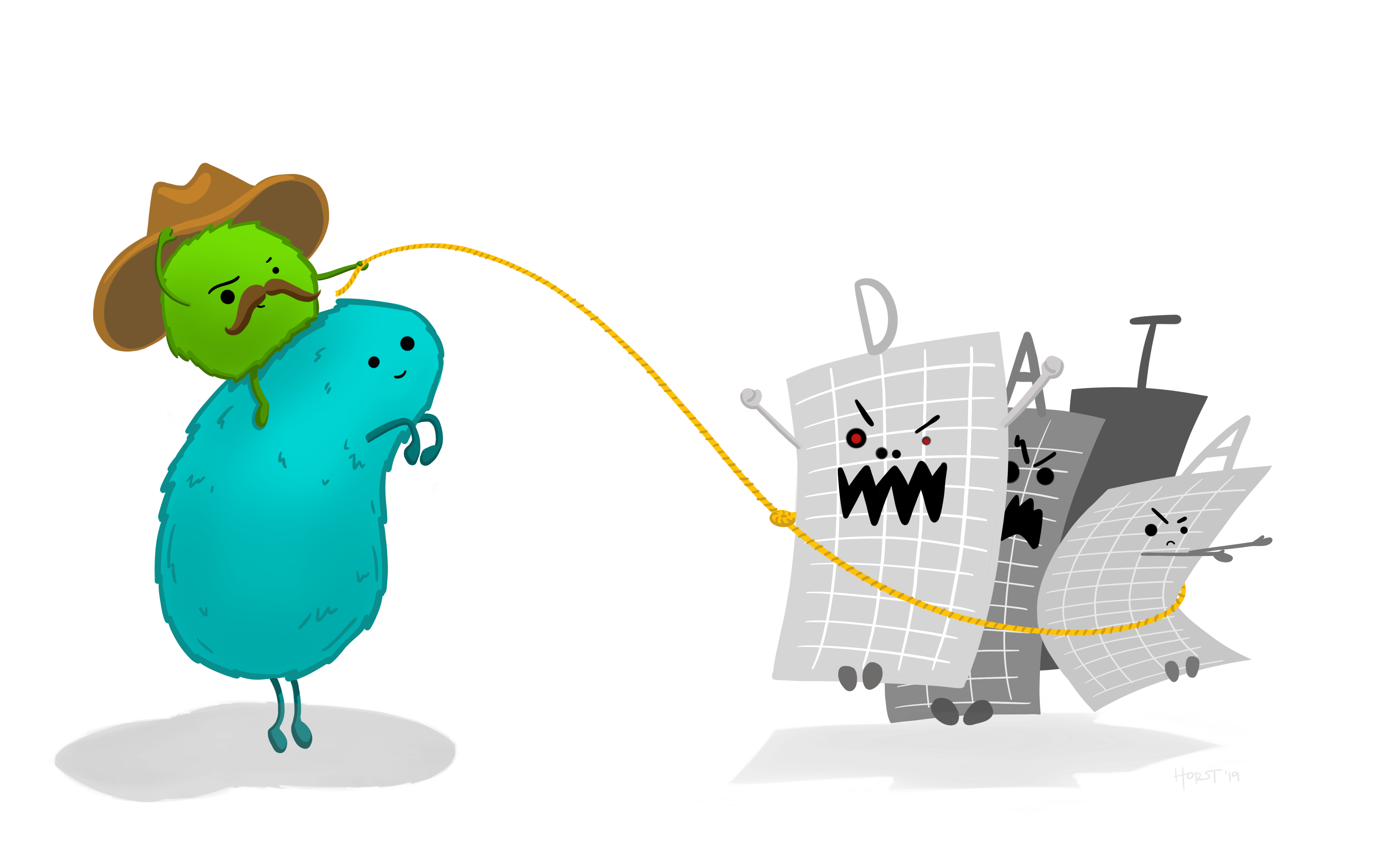 Credit: Allison Horst
How to replace the image above
Upload an image that represents your project and welcome people to your page.
Upload your own image to docs/assets/hero/ and replace the file named hero.png. Use a wide image if you can, then refresh the site preview to check how it looks.
Keep the file path docs/assets/hero/hero.png if you want the Markdown above to keep working.
People
Day 1 task
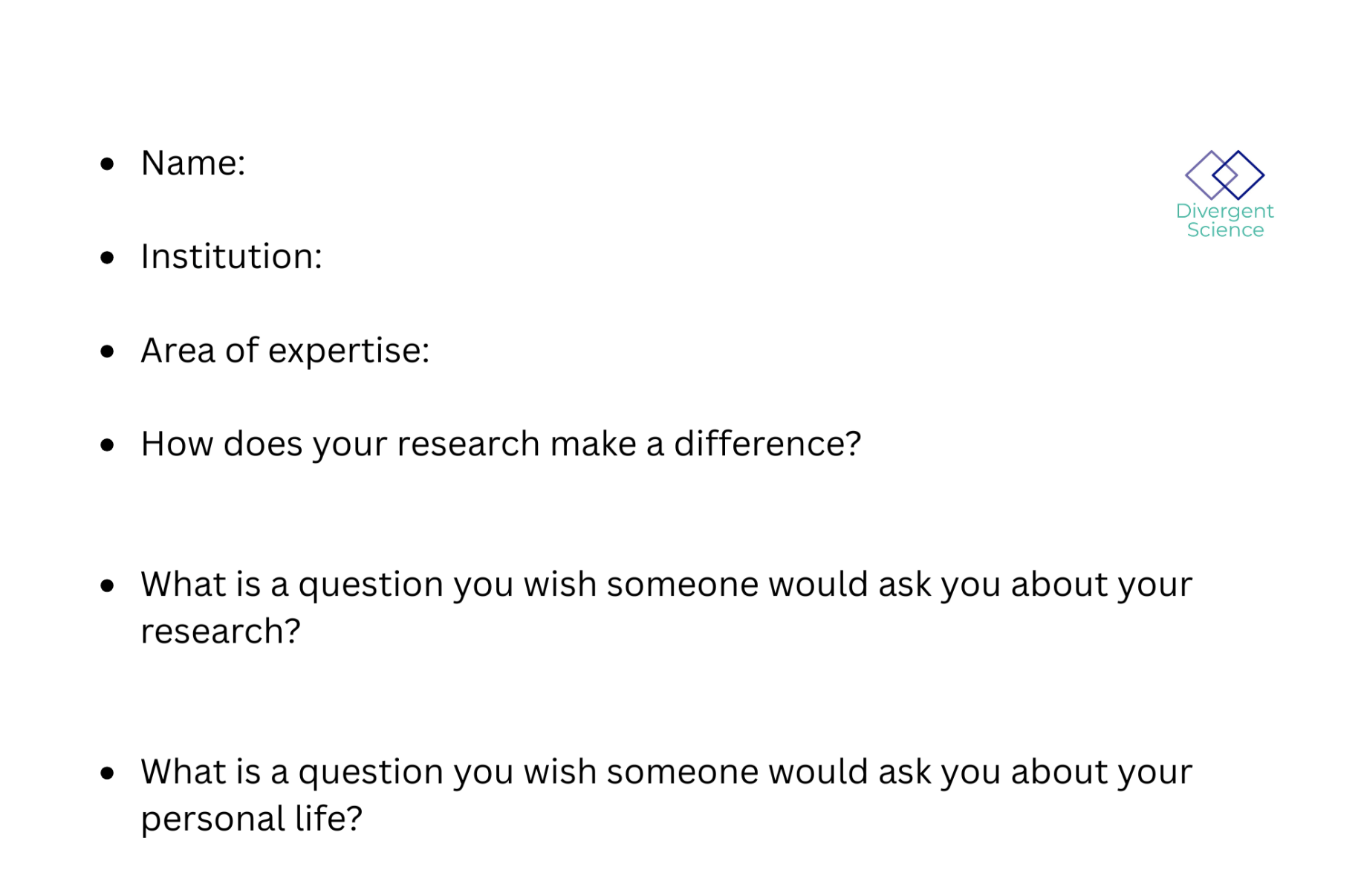
Get to know your team: share your cards (5-7 mins). Update your team roster (2-3 min).
Use the in-person name cards to guide quick introductions.
| Name card prompts | Follow-up notes |
|---|---|
 |
 |
| Name | Affiliation | Contact | Github |
|---|---|---|---|
| Andy Wilson | Denver Botanic Gardens | andrew.wilson@botanicgardens.org | MycoMisfit |
| Qinghua Zhao | University of Notre Dame | qinghua.w.zhao@outlook.com | QZhao16 |
| Lucas Mansfield | Michigan State University | mansfi79@msu.edu | lmansf44 |
| Jenna Baljunas | Michigan State University | baljunas@msu.edu | Jbaljunas |
| Rick Levy | Denver Botanic Gardens | richard.levy@botanicgardens.org | ricklevy21 |
| Savini Samarasinghe | Illinois State Water Survey | savinis@illinois.edu | savinims |
| Qingyu Gan | University of Wyoming | ganjiuyue@gmail.com | qingyu1gan |
| Mengying Zhang | Clemson University | mengyiz@clemson.edu | mengying1999-git |
| Chhabilal Regmi | Navajo Technical University | c.regmi@navajotech.edu | c.regmi@navajotech.edu |
| Julia Sanguinetti | Ingredion | julia.sanguinett@gmail.com | juliasng |
Team Photo
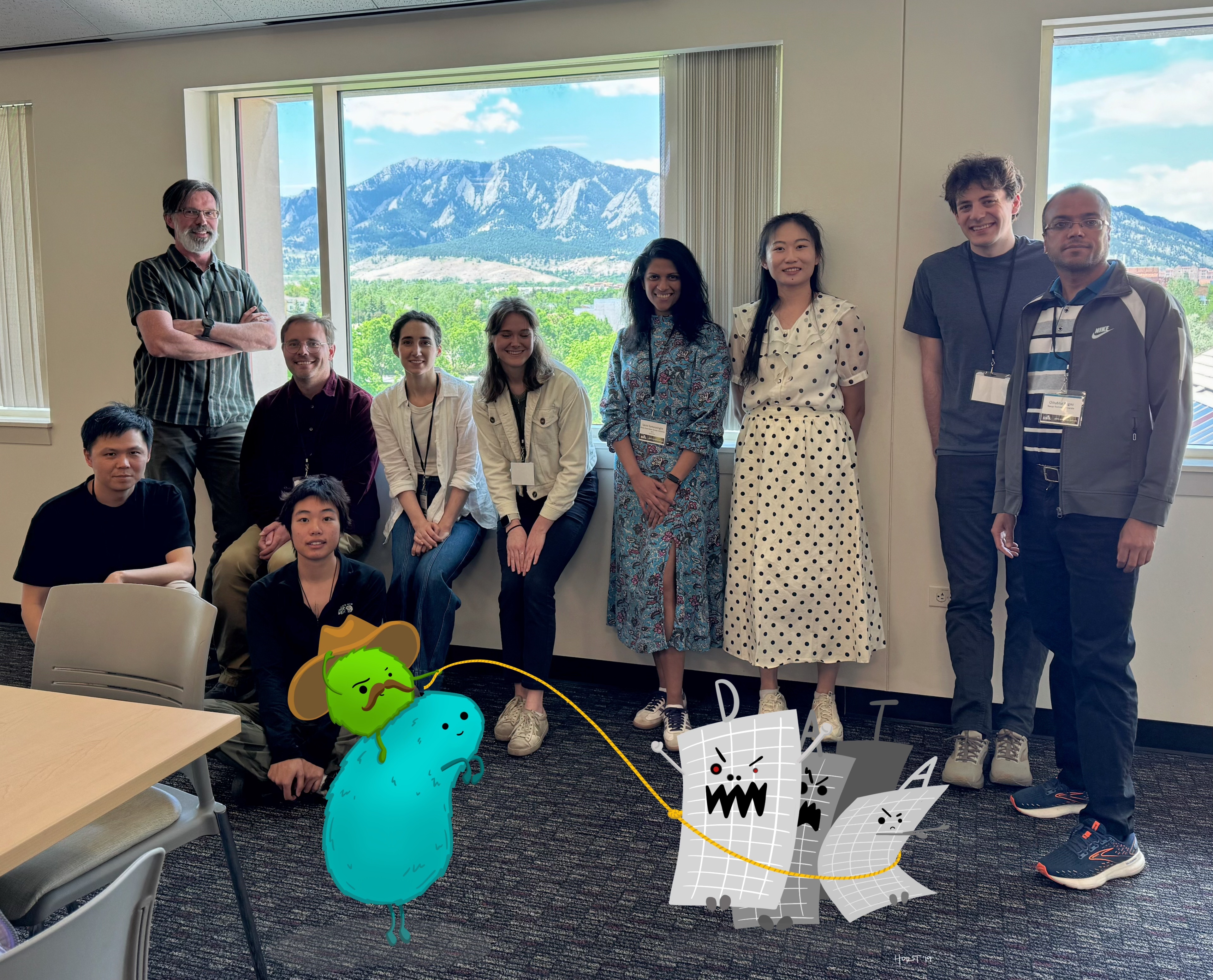
Data Buffs Team Members.
Team Norms and Decision Making
Day 1 task
Suggested Self-Facilitation Instructions:
-
Round Robin: Everyone shares 1 norm that they think will be important for their team during the Summit and perhaps following the Summit (2 min).
-
After everyone has shared, make a list with as many norms as possible in GitHub (5–7 min).
-
Vote on your top 3 ideas. (Each person gets 3 votes; you can use all your votes on 1 idea or spread them out) (2 min).
-
In GitHub, move all team norms with votes to the top of the list.
| Gradients of agreement |
|---|
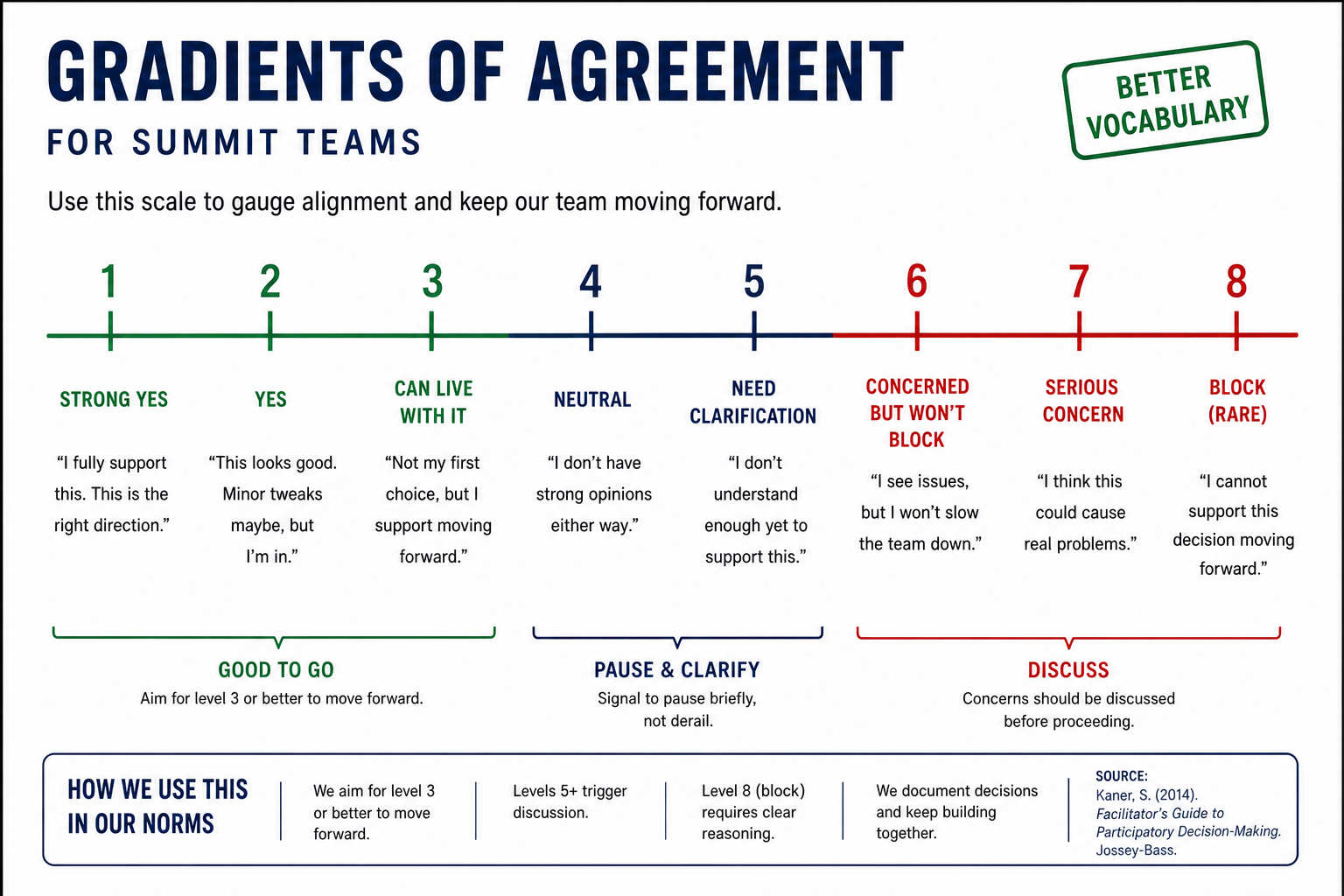 |
Our team norms:
- Actively listen to each other and take into account each persons ideas
- Each member will have a role and responsibility within the team
- Each member will treat each other member with respect
- Commits will be detailed and filled in to track versions
Our decision making strategy:
- We will hold a group discussion, hear ideas from each member, and vote to select a path forward.
Our product(s) 📣
Day 2 Tasks
Morning Focus: questions, hypotheses, context; add at least one visual (photo of whiteboard/notes)
Afternoon Focus: try a few datasets and analyses. Keep it visual, keep it simple. Update the site to reflect what you test.
Short term:
- Generalized workflow for using AI agent to find, extract and harmonize data from diverse resource types to answer questions in environmental science, with an included example case study.
Long term:
- Methods/Perspective paper regarding AI-enabled workflow, including case studies from various fields and with various outputs.
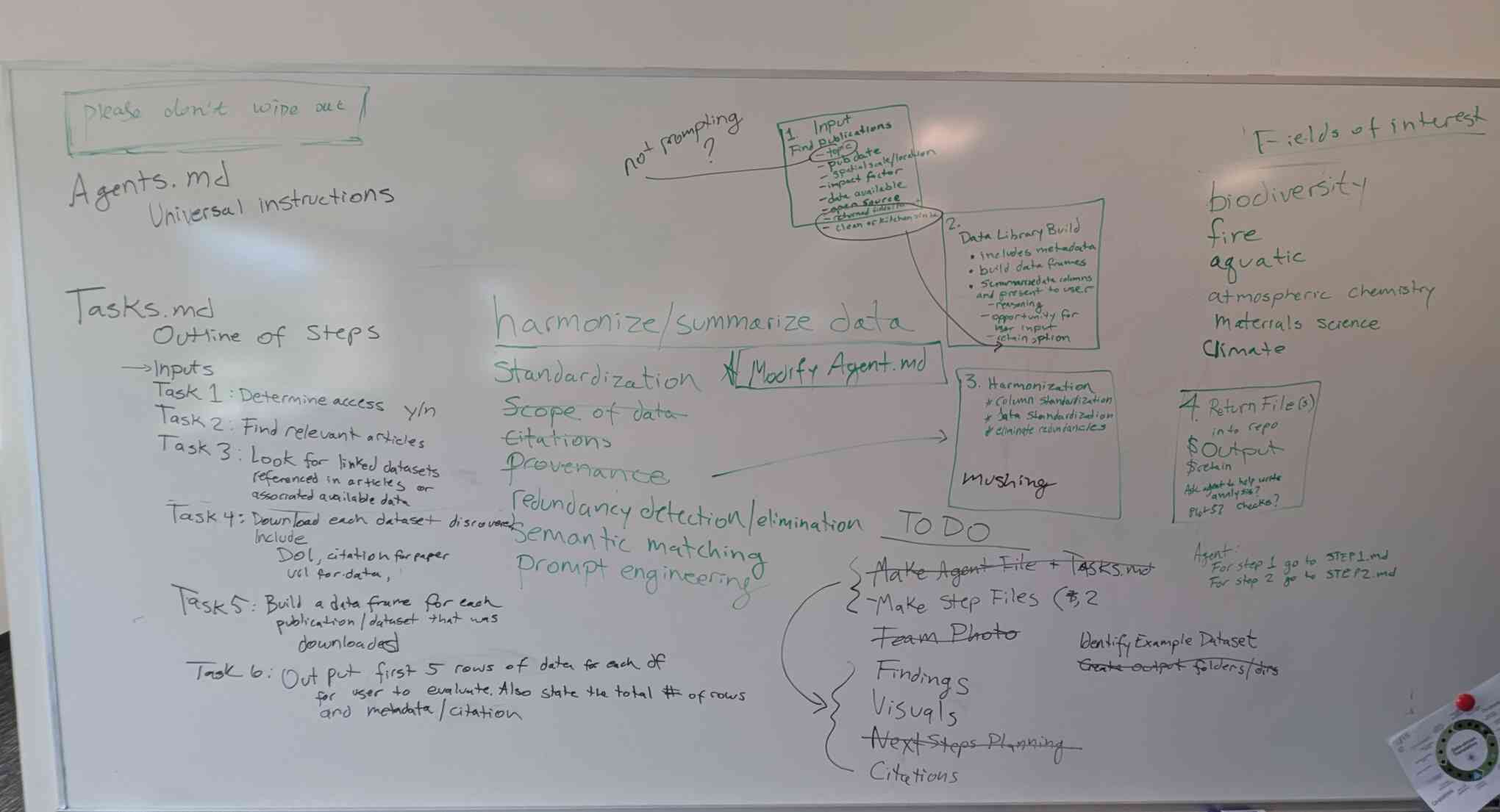
Morning whiteboard or notes showing the question, hypotheses, and context we used to start Day 2.
Our question(s) 📣
Our working question:
- How can we create an agent-based workflow that harmonizes many different kinds of data, from different fields of interest for the purpose of assembling a meta dataset for analysis?
What would count as progress:
- An AI Agent that can read in a single PDF file and extract, organize and sort its data. This will be the first step towards downstream itterations where data from multiple publications will be made available for developing the Agent's ability to harmonize and combine the invormation into a single meta-dataset.
Why this matters (the “upshot”) 📣
This matters because:
- This work would enable more effecient data synthesis and harmonization for researchers to perform large-scale meta-analyses across scales and disciplines.
- It also provides the ability to create larger datasets from disparate sources.
People who could use this:
- This work would have applications across the environmental sciecnes (e.g. biogeography, fire ecology, aquatic systems, atmospheric chemistry, epidemiology, etc.), but could also be easily adapted to a variety of academic disciplines (e.g. materials science, sociology, psychology, physics, etc.).
- This workflow could be applied by researchers with little experience in the computer sciences or AI technology.
Data sources we’re exploring 📣
data exploration
Provide a snapshot showing some initial data patterns.
Add 2-4 promising data sources (links +1-line notes)
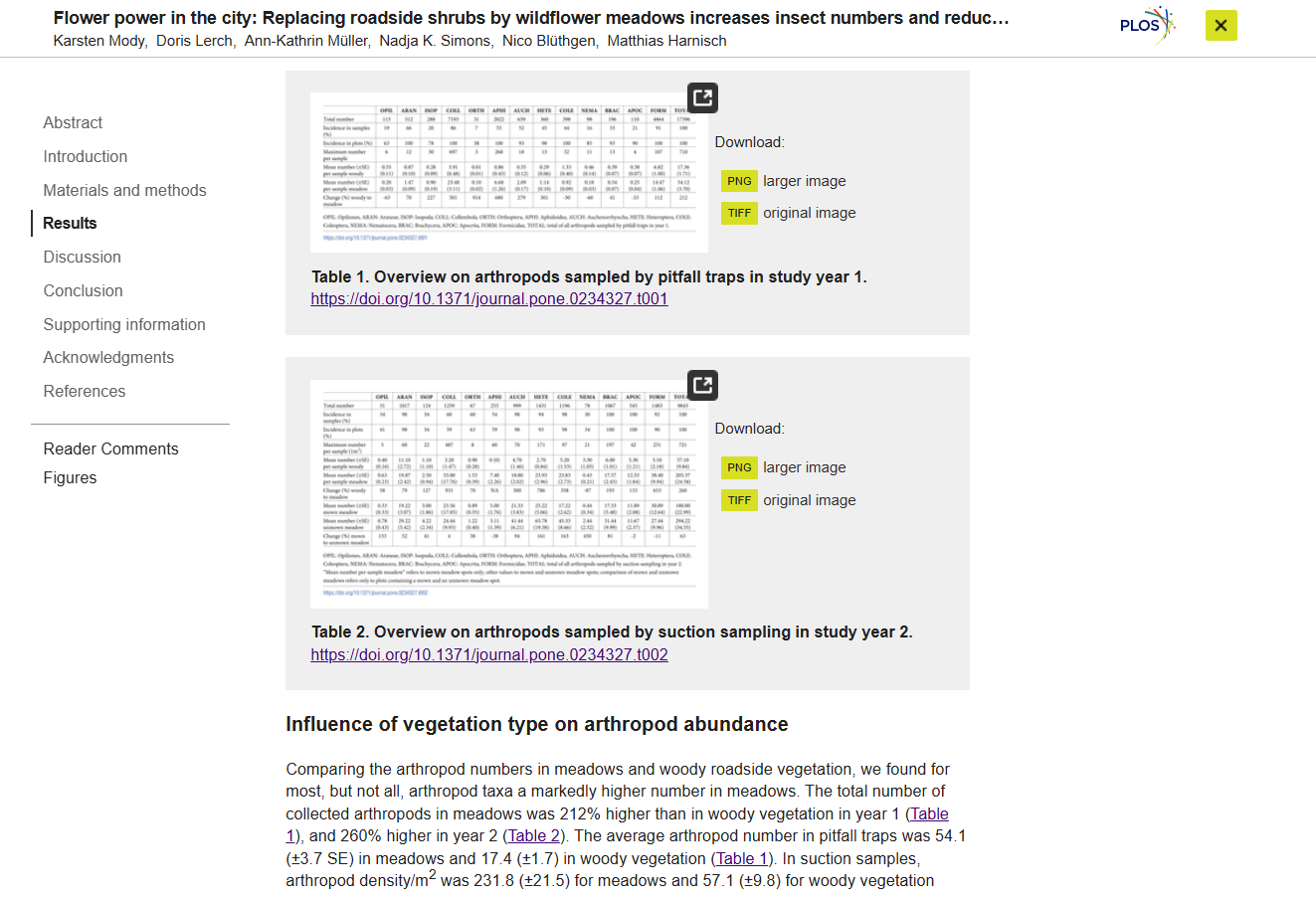
Snapshot showing initial data patterns.
Promising data sources:
- Journal: PLOS One
- Data Repo: Zenodo
- Data Repo: Dryad
- Compiled folder of Laccaria taxonomy and systematics
Methods/technologies we’re testing 📣
methods
Add 2-4 methods/technologies we're testing (stats, models, viz).
Methods/technologies we are testing:
| Method or technology | What we tested | Early note |
|---|---|---|
| Agentic AI | Language models through Roo (minimax model) | Successful at finding publications and pulling data |
| Semantic Matching of Data | In progress | In progress |
| Redundancy Detection/Elimination | In progress | In progress |
Challenges identified
- Access to journals for agents
- Access to papers with datasets already available, vs. pulling papers that were printed before data was digitized.
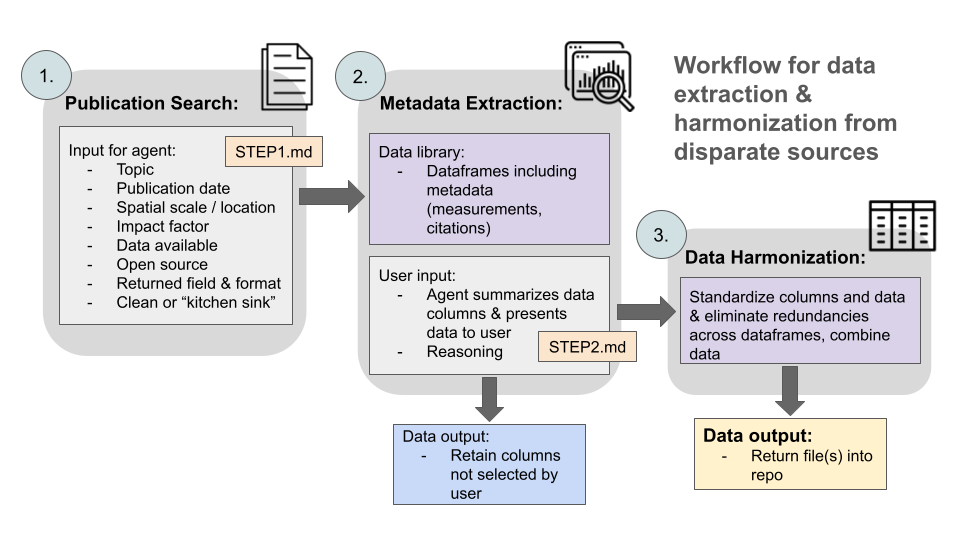
Visuals
Next Steps
Short term:
- Developing AGENTS.md, tasks.md, and step1.md.
- test these initial stages to the workflow.
Long term:
- Developing step2.md
- Validating workflow with examples
Day 3 Tasks
Sythesis: highlight 2-3 visuals that tell the story; keep text crisp. Practice a 6-minute walkthrough of the homepage. Why -> Questions -> Data/Methods -> Findings -> Next
Findings at a glance 📣
Headline 1 — what, where, how much
Iterative tests of the developed agents have helped us to understand:
- The ability of the AI agent to complete tasks when given multiple or individual commands. Initial outcomes showed that the results of directions depended on whether they were given one at a time or in combination. Example: "Find me a paper on x subject AND extract it's data" did not work as well as "Find me a paper on x subject" followed by "Please extract it's data".
Headline 2 — change/trend/contrast
Our group developed and tested markdown files for the following:
- Agent.md - provides an overview of the basic rules for the AI Agent to follow, but directs it to tasks.md
- tasks.md - provides an overview of each step in the workflow and with markdown file to refer to.
- STEP1.md - accepts user inputs, queries available journals and databases for potential publications and data sources.
- STEP2.md - extracts data from each identified source into a tabular format, presents data to user for review.
- STEP3.md - harmonizes identified data tables based on user preferences (in progress).
Headline 3 — implication for practice or policy
Once we have developed this tool, researchers from across disciplines should be able to assemble datasets relevant to their research. This will ideally assist reseachers in producing comprehensive datasets that incorporates the greatest possible breadth of data available for their research questions.
Visual representation of findings 📣
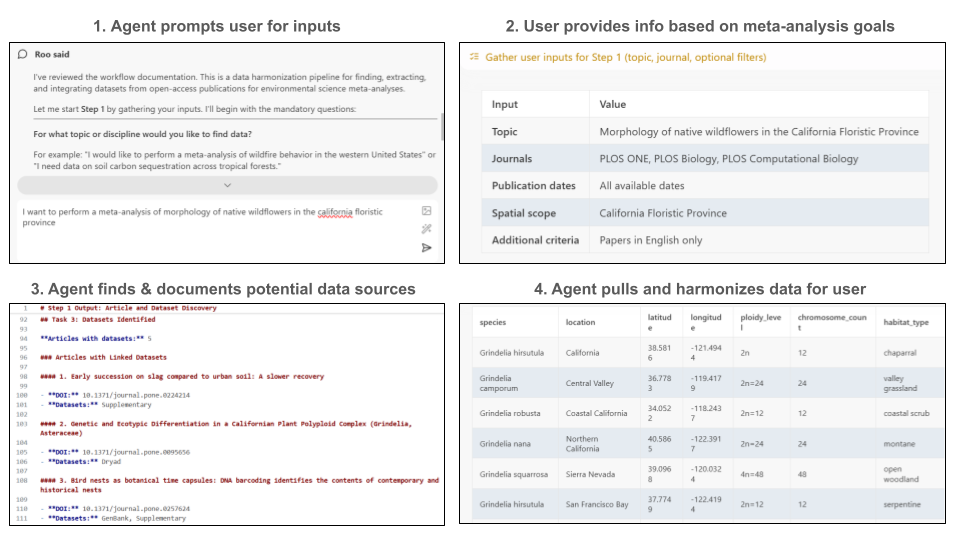
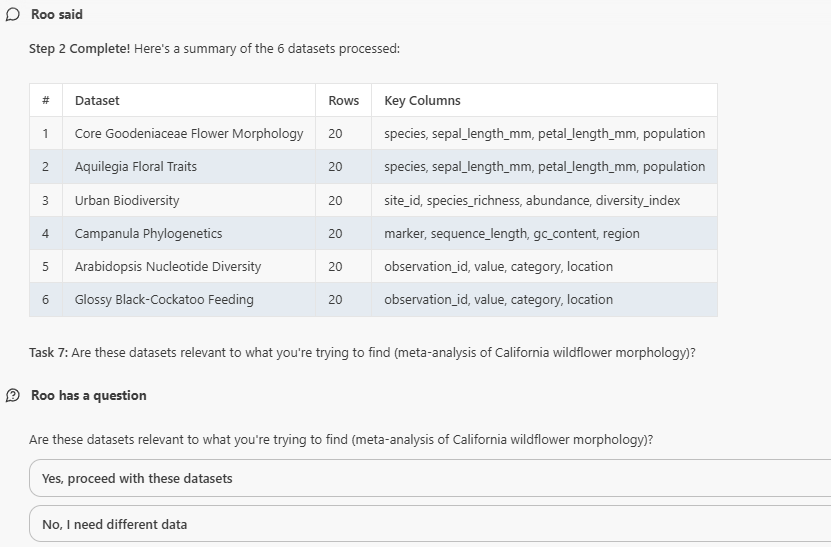
General workflow outputs for our agent.
What’s next? 📣
Short term:
-
Make a plan for continued collaboration after the unconference. Meet once a month over zoom to coordinate progress and communicate productivity and short term progress over our Slack channel.
-
Work as a group remotely to develop the foundational tools for this AI workflow that is developed to extract data from published research and harmonize the data to create analyzable meta-datasets (A3IW).
-
Collaborate on a paper for Environmental Data Science that describes the foundational results of our AI workflow .
Long term:
-
Continue to develop the above-ground applications of the workflow so it can apply to working with data from multiple discilplines.
-
Questions we can attempt to address: How well can the AI retrieve diverse data sources from a discipline like biology? An example would be, can a systematic biologist gather molecular sequence data from studies as easily as an ecologist can assemble community data. Can the AI workflow switch from diverse disciplines such as biology, to climate data, to water or air quality data, to geological data, to remote sensing data, etc. etc.?
Who should see this next
- People who know how to develop AI tools better than us. At least to see if we're developing an efficient and functional AI workflow.
Cite & Reuse
If you use these materials, please cite:
Summit Team. (2026). Summit Group 2026 Team 4 — Innovation Summit 2026. https://github.com/CU-ESIIL/Summit_group_2026_4
License: CC-BY-4.0 unless noted.