How to use this page during the Summit
-
This page is your team’s shared workspace and final report-out page. It captures your group’s process and thinking throughout the Summit and will be used to share your work with others.
-
Use this page as your team’s working record during the Summit and your final report-out.
-
The Summit has several different goals and thus you will use the page differently each day: Day 1 is for alignment, Day 2 is for building one useful thing, and Day 3 is for synthesis and report- out.
-
Look for the green buttons to indicate what you need to edit.
-
Megaphones 📣 indicate which items you will be presenting during the end-of-day report-outs.
-
Only the items with megaphones will be visible when you hit the 'Summit Report Out' button.
-
If you turn off 'Instructions' then you will only see the page content for public display.
Embedders (depth)
How to replace the image above
Upload an image that represents your project and welcome people to your page.
Upload your own image to docs/assets/hero/ and replace the file named hero.png. Use a wide image if you can, then refresh the site preview to check how it looks.
Keep the file path docs/assets/hero/hero.png if you want the Markdown above to keep working.
People
Day 1 task
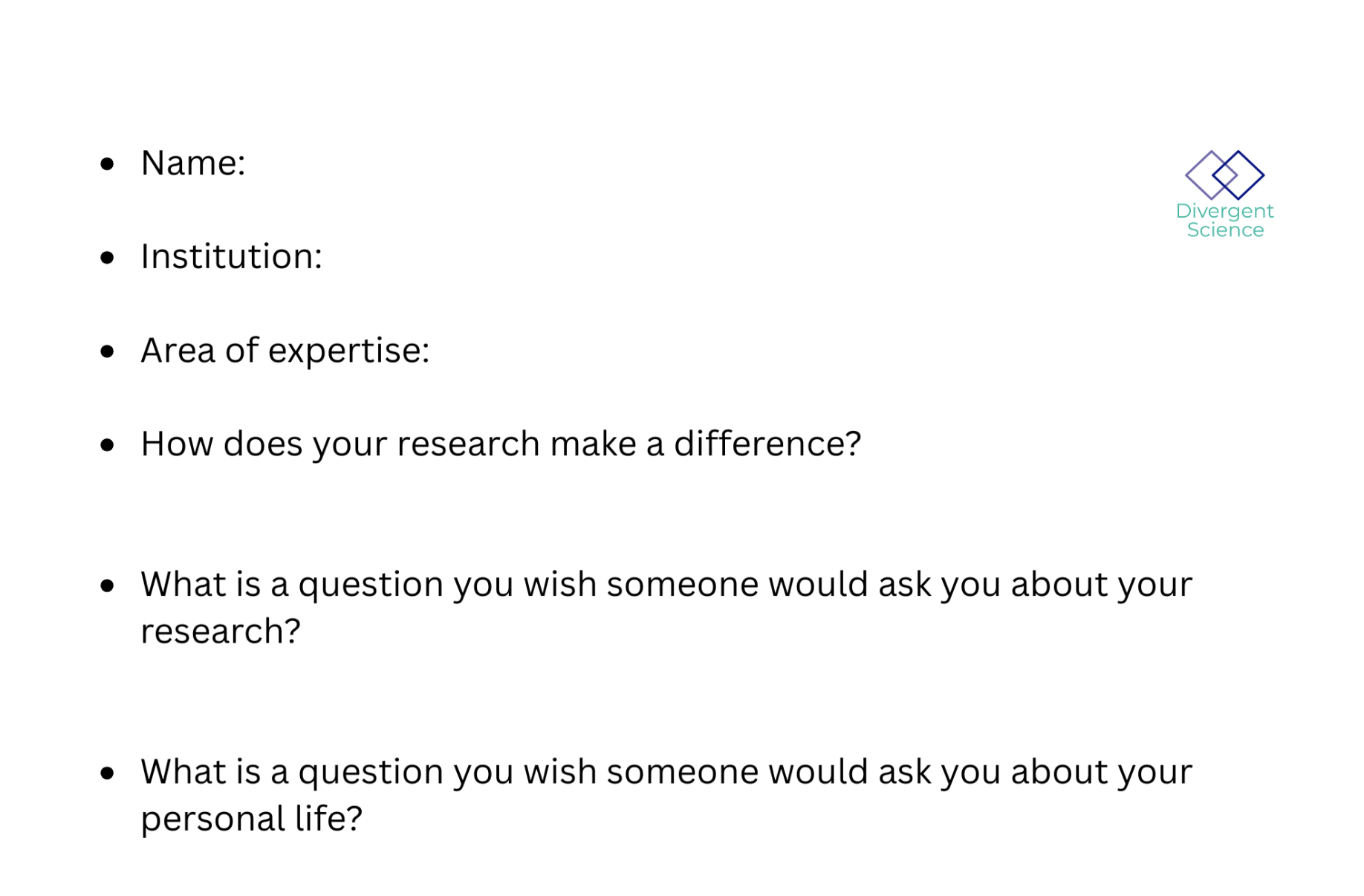
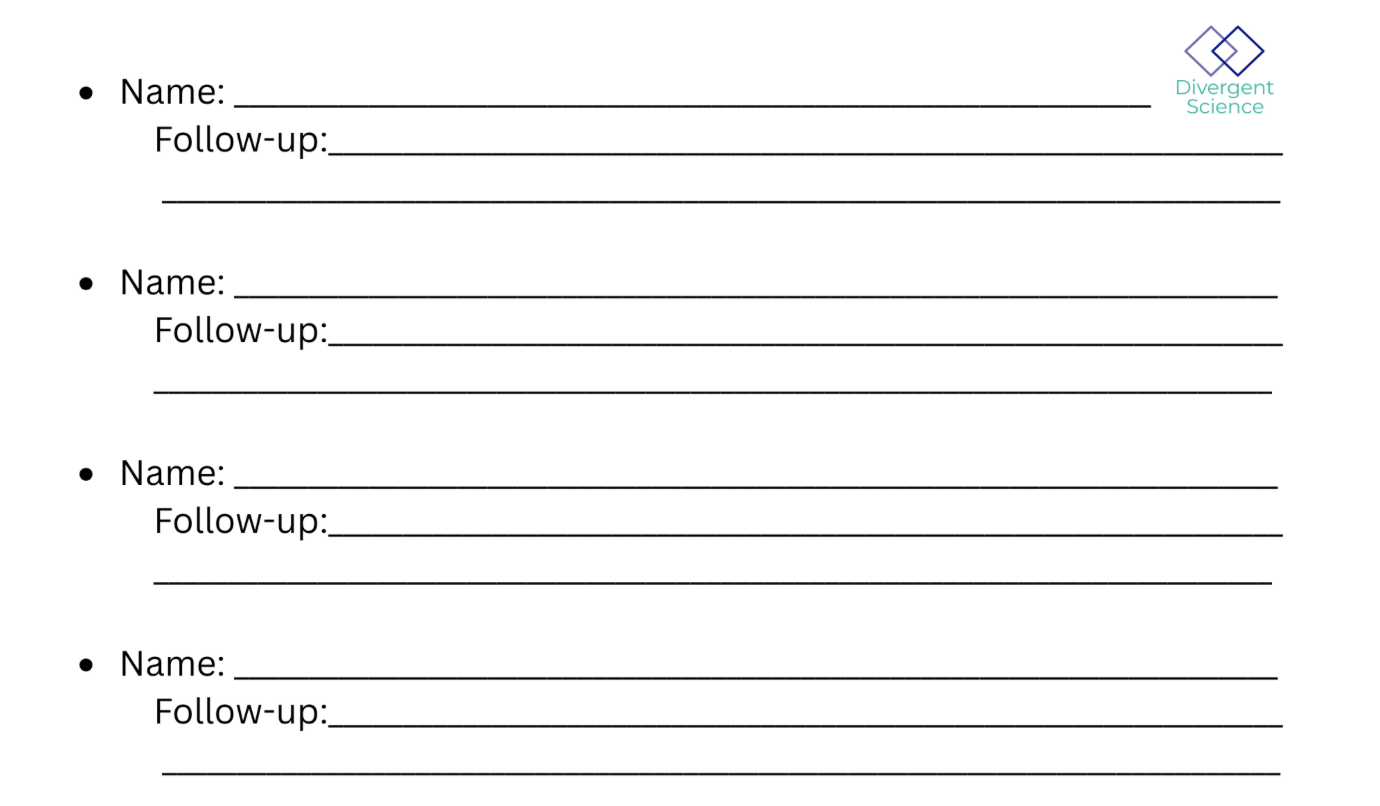
Get to know your team: share your cards (5-7 mins). Update your team roster (2-3 min).
Use the in-person name cards to guide quick introductions.
| Name card prompts | Follow-up notes |
|---|---|
 |
 |
| Name | Affiliation | Contact | Github |
|---|---|---|---|
| Dusty Gannon | Oregon State University | dustin.gannon@oregonstate.edu | Dusty-Gannon |
| Keqi He | Virginia Institute of Marine Science | khe@vims.edu | hkqcqq |
| Annie Taylor | The Nature Conservancy | annie.taylor@tnc.org | annietaylor |
| Levi "Veevee" Cai | Univ. of Colorado, Boulder | levi.cai@colorado.edu | arizonat |
| Brian Lee | Univ. of Colorado, Boulder | brian.lee-4@colorado.edu | bhyleee |
| Matthew Helmus | Temple University | mrhelmus@temple.edu | mrhelmus |
| Ria Gupta | Simon Fraser University, Burnaby, Canada | riagupta312@gmail.com | riaongreatlearning-hub |
Team Norms and Decision Making
| Gradients of agreement | |
|---|---|
| Love it! ❤️ | one finger |
| Like it 👍 | two fingers |
| Live with it 🤷♀️ | three fingers |
| Loathe it 🚫 | four fingers |
[Edit Team Norms in Markdown](https://github.com/CU-ESIIL/Summit_group_2026_5/edit/main/docs/index.md?plain=1#L87){ .md-button target="_blank" rel="noopener" }
Our team norms:
- Single slack channel, communicate over slack by @ing.
- Some test cases (depth) may illustrate the inventory (breadth) group, but they do not have to be shared in the larger paper (it is okay to keep your case study independent)
- Step up, step back / even turn taking
AI norms:
- Research/exploration
- Code snippets and claude code/codex/copilot ok (don't give sensitive data)
- Prefer claude, gemini, cyverse and copilot with anthropic activated, if possible
- Editing/polishing/reviewing work (read after the edit)
- Create documentation like READMEs
- Not for first pass writing of papers
Our decision making strategy:
- Call for vote
- Hold fingers up to indicate agreement on scale above
Our product(s) 📣
[Edit content below here in Markdown](https://github.com/CU-ESIIL/Summit_group_2026_5/edit/main/docs/index.md?plain=1#L106){ .md-button target="_blank" rel="noopener" }
Short term:
Library of notebooks illustrating different use cases and workflows.
Long term:
- Comparison of different embeddings across use cases and comparison to traditional ML approaches
- Test case specific products including:
- Benchmarking toolkit
- Site selection tool
- Domain-specific papers
Morning whiteboard or notes showing the question, hypotheses, and context we used to start Day 2.
Our question(s) 📣
Our working question:
-
Brian:
-
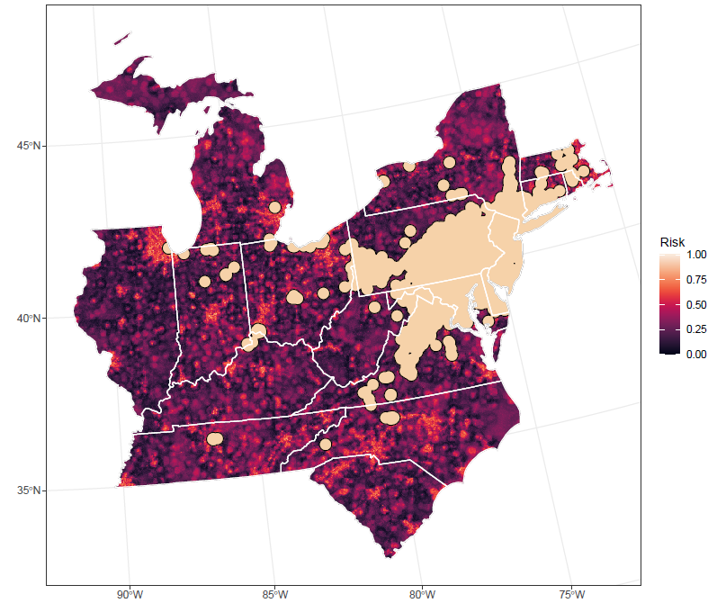
Matthew: Risk mapping of a novel pest
-
Dusty: Counterfactual / control site selection based on similarity in embedding space
-
Annie: Predicting plastic mulch use across space
-
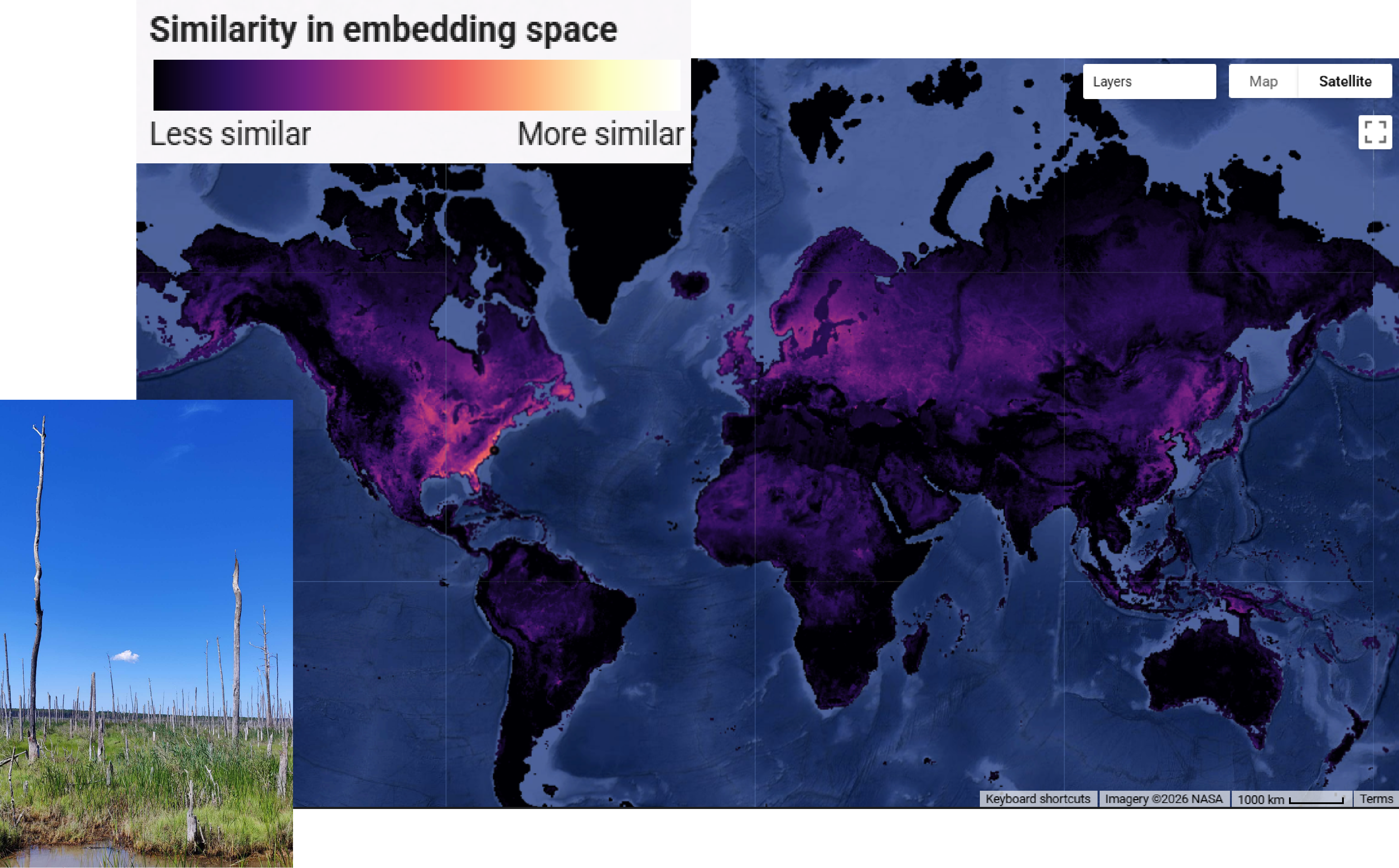
Keqi: "Ghost forest" land cover classification using embedding features
-
Veevee: Tool development for evaluating foundation models for specific tasks
-
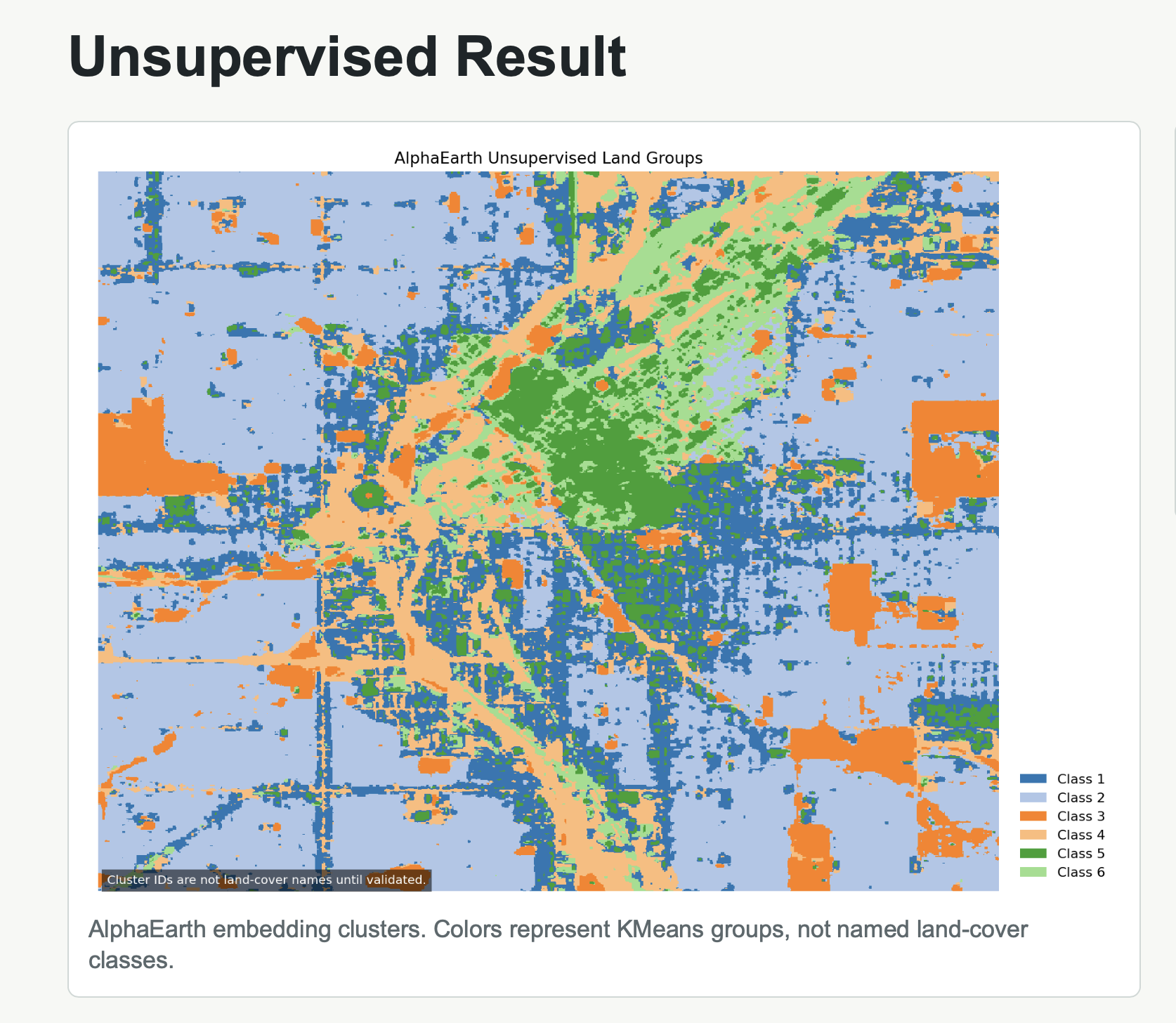
Ria: Land classification
What would count as progress:
Why this matters (the “upshot”) 📣
This matters because: - Embeddings could help with generalizability, reproducibility, and simplifying workflows, but we still need to know when and where they work well and when and where they don't.
People who could use this:
- Land managers
- Environmental data scientists
- Embeddings developers
Data sources we’re exploring 📣
Promising data sources:
- Data source 1: HJA Andrews Experimental Forest
- Data source 2: Ag Plastics Data
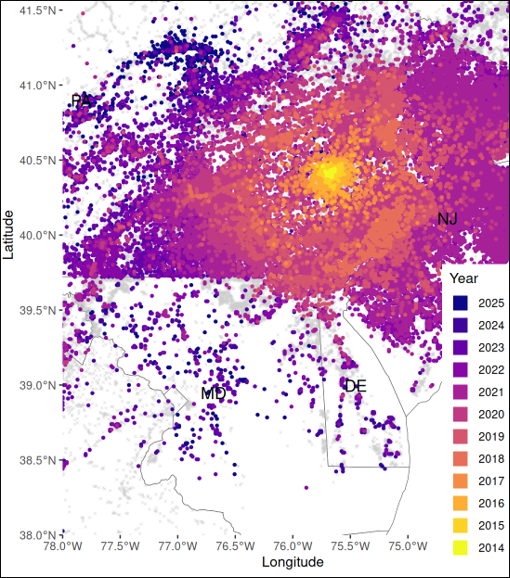
- Data source 3: Lantern fly data
- Data source 4: Brian's data
Methods/technologies we’re testing 📣
methods
Add 2-4 methods/technologies we're testing (stats, models, viz).
Methods/technologies we are testing:
| Method or technology | What we tested | Early note |
|---|---|---|
| AlphaEarth | ... | ... |
| Prithvi | ... | ... |
| MOSAIKS | ... | ... |
| ... | ... | ... |
Challenges identified
- ...
- ...
Visuals
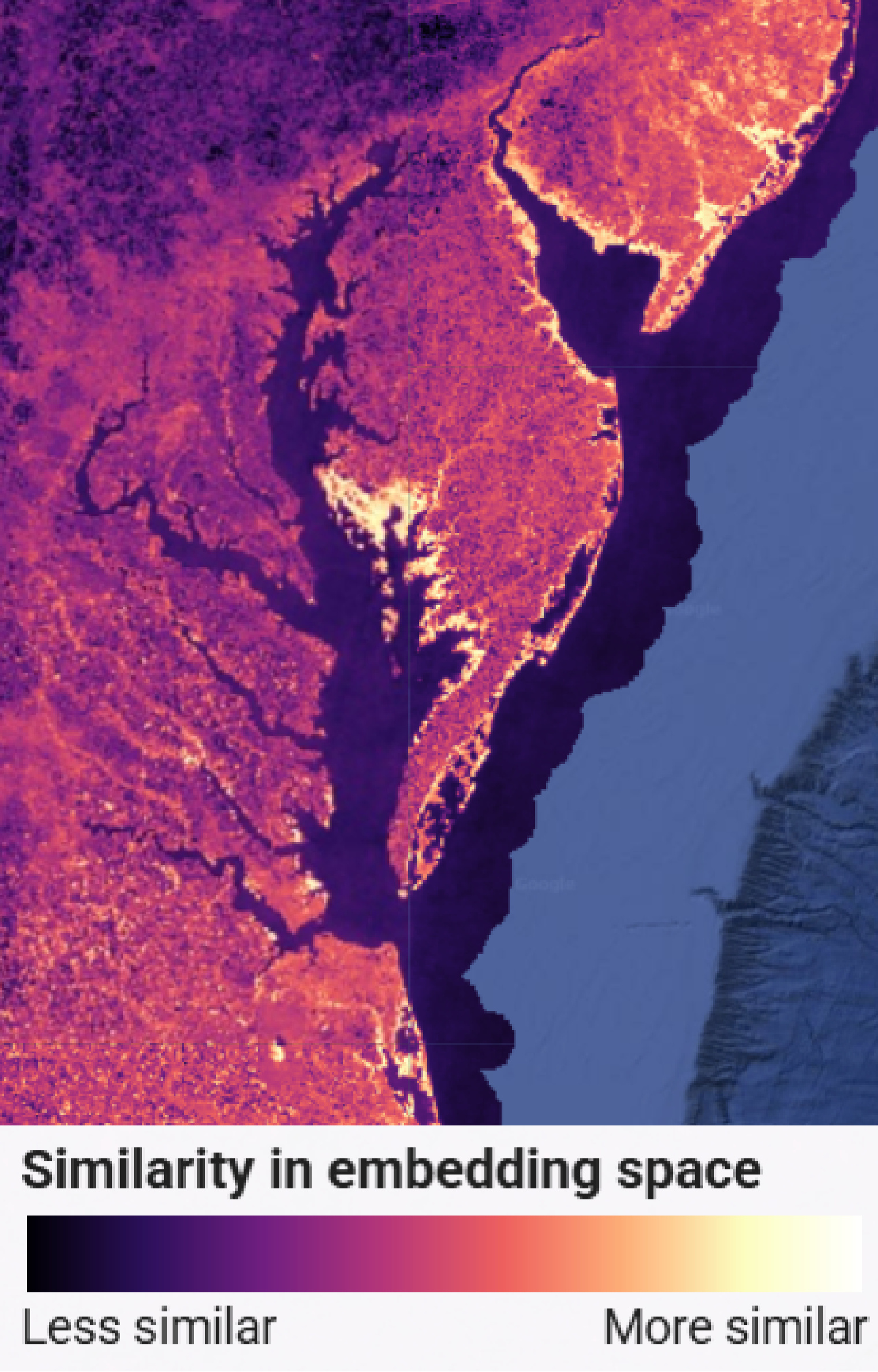
Potential "Ghost Forest" locations (Similarity Analysis using Alpha Earth)
Next Steps
Short term:
Long term:
Day 3 Tasks
Sythesis: highlight 2-3 visuals that tell the story; keep text crisp. Practice a 6-minute walkthrough of the homepage. Why -> Questions -> Data/Methods -> Findings -> Next
Team Photo
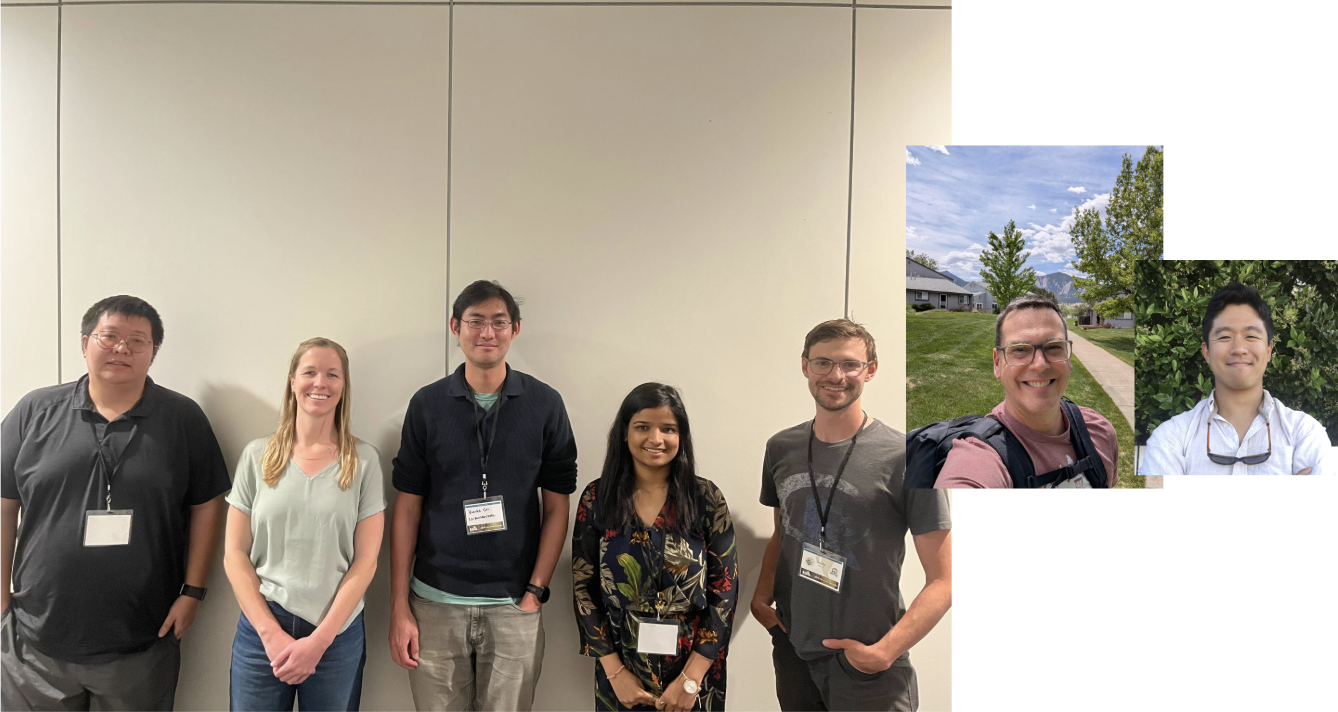
Team members and collaborators who contributed to this project.
Findings at a glance 📣
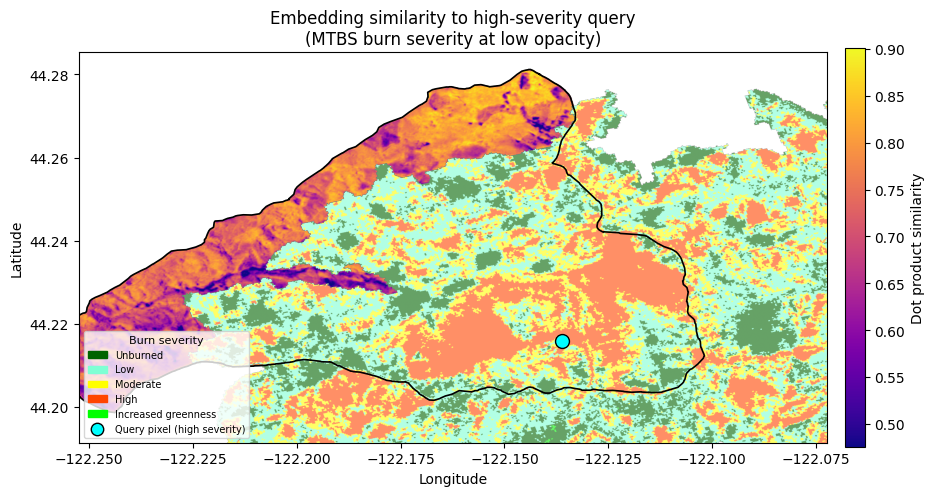
- Headline 1: Embedding space similarity could be useful for selecting control/comparison sites in natural experiments
Visuals that tell a story 📣
Visual 1: Similarity of a reference "Ghost Forest" pixel.
Visual 2: Spotted Lanternfly data.
Visual 3: Spotted Lanternfly risk.
Visual 4: Land classification through unsupervised and supervised learning on AlphaEarthEmbeddings.
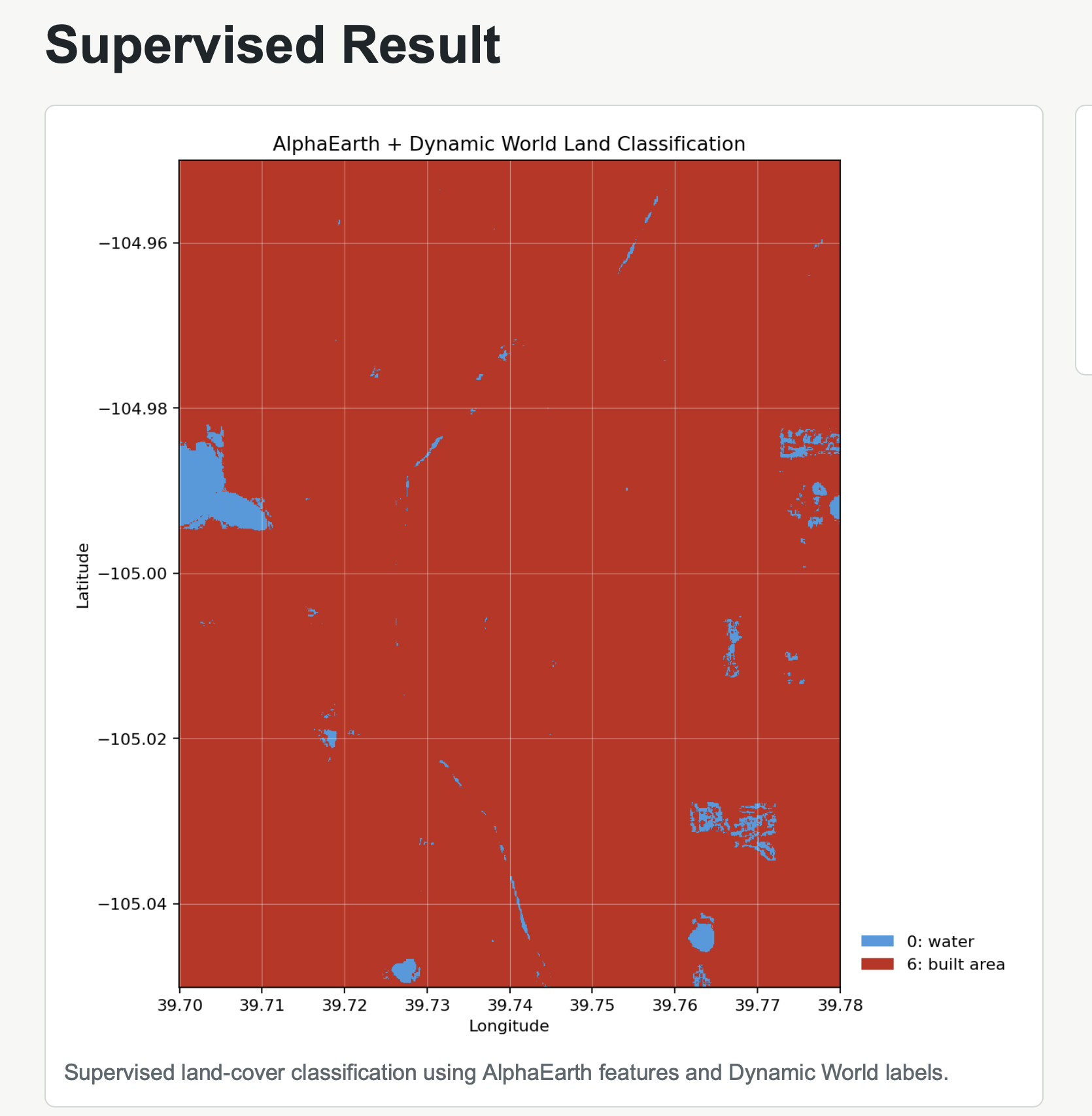 Future: Extend this to wasteland detection research.
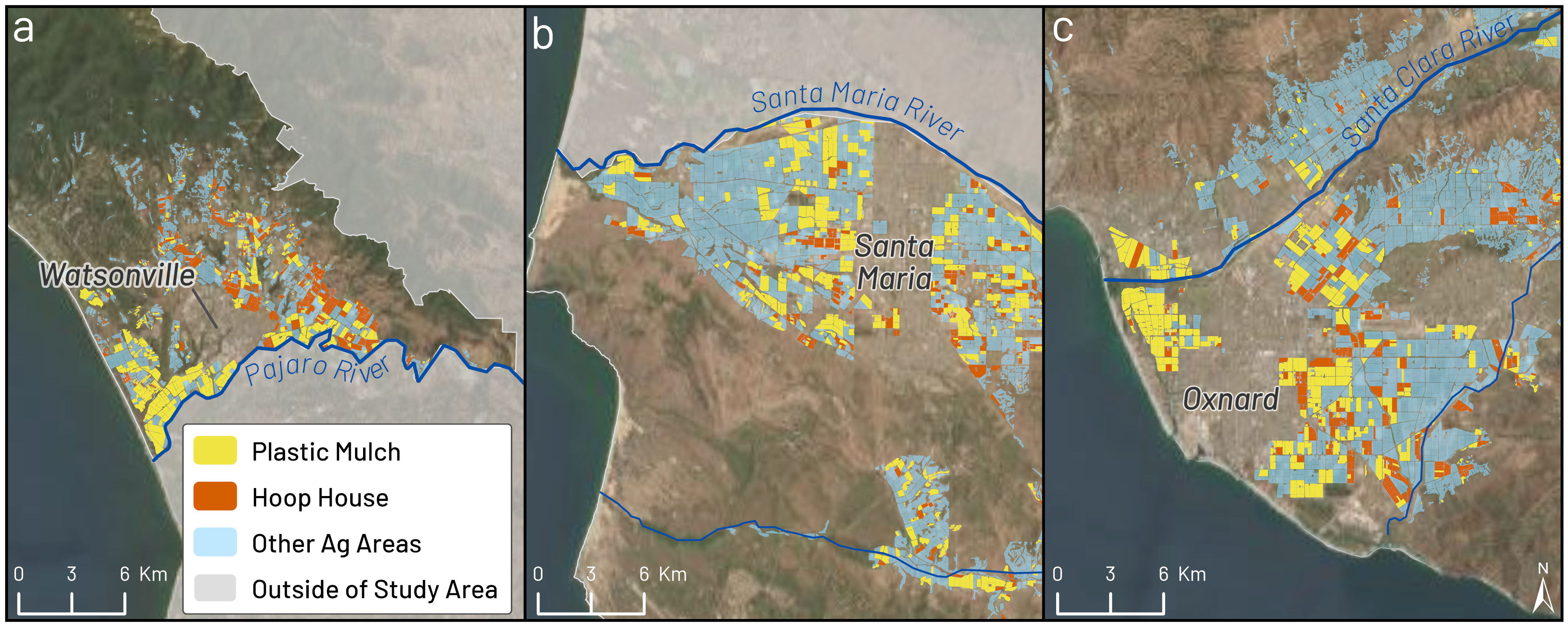
Visual 5: Agricultural plastics classification augmented with embeddings generated with the Prithvi-EO-2.0 model - Developed a draft script to generate embeddings with Prithvi-EO-2.0 model - Next steps: get the script working, run a RF classification
Example classification with RS/ML approach (no embeddings):
Pre-existing geospatial AI benchmarks
| Benchmark/pipelines | Problem types | URL |
|---|---|---|
| TorchGeo | Overall geospatial pipelines | https://github.com/torchgeo/torchgeo |
| GeoBench | Classification, Segmentation | https://github.com/servicenow/geo-bench |
| OceanBench | Regression | https://github.com/mercator-ocean/oceanbench |
| SustainBench | Classification, Segmentation, Regression | https://github.com/sustainlab-group/sustainbench/ |
| AiTlas | Classification, Detection | https://aitlas.readthedocs.io/en/latest/ |
| EarthNets | Classification, Segmentation, Change detection | https://earthnets.github.io/ |
| PANGAEA | Segmentation, Regression, Change detection, temporal | https://github.com/VMarsocci/pangaea-bench |
What’s next? 📣
Short term:
- ...
Long term:
- ...
Who should see this next
- ...
Cite & Reuse
If you use these materials, please cite:
Summit Team. (2026). Summit Group 2026 Team 5 — Innovation Summit 2026. https://github.com/CU-ESIIL/Summit_group_2026_5
License: CC-BY-4.0 unless noted.